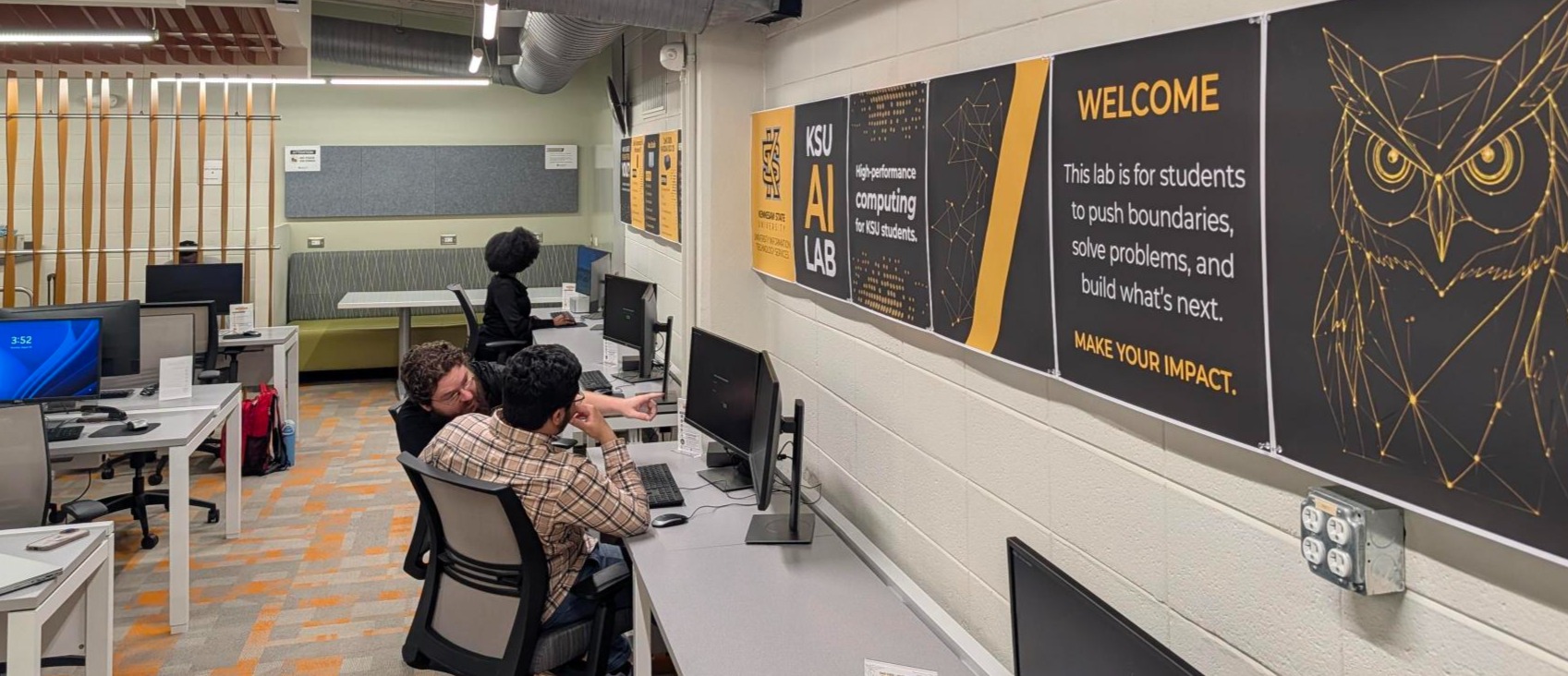
A Space for Students to Innovate

The KSU AI Lab provides Kennesaw State University students with access to high-performance computing resources that support artificial intelligence (AI), machine learning (ML), data science, engineering, research, and other computationally intensive projects. 

The lab is currently available to KSU students only as part of a pilot initiative. Access to the lab opens Monday, August 24, and is by reservation only to maximize the availability of specialized computing resources.

Additional workstation types, software, and services may become available as the lab evolves.

Hours & Location

 The KSU AI Lab is located in the lower level of the Academic Building (H/830) on the KSU Marietta Campus in Room 160. 

For directions and building location, view the Academic Building on the KSU Campus Map

  • Monday-Thursday: 8:00 a.m. to 9:00 p.m.
  • Friday: KSU AI Lab closed

Need technology assistance on Friday? Marietta Walk-In Support and Tech Check-Out services remain available.

Contact & Support

Questions about reservations, workstation availability, software, or lab policies?

Please contact ksuailab@kennesaw.edu for assistance.
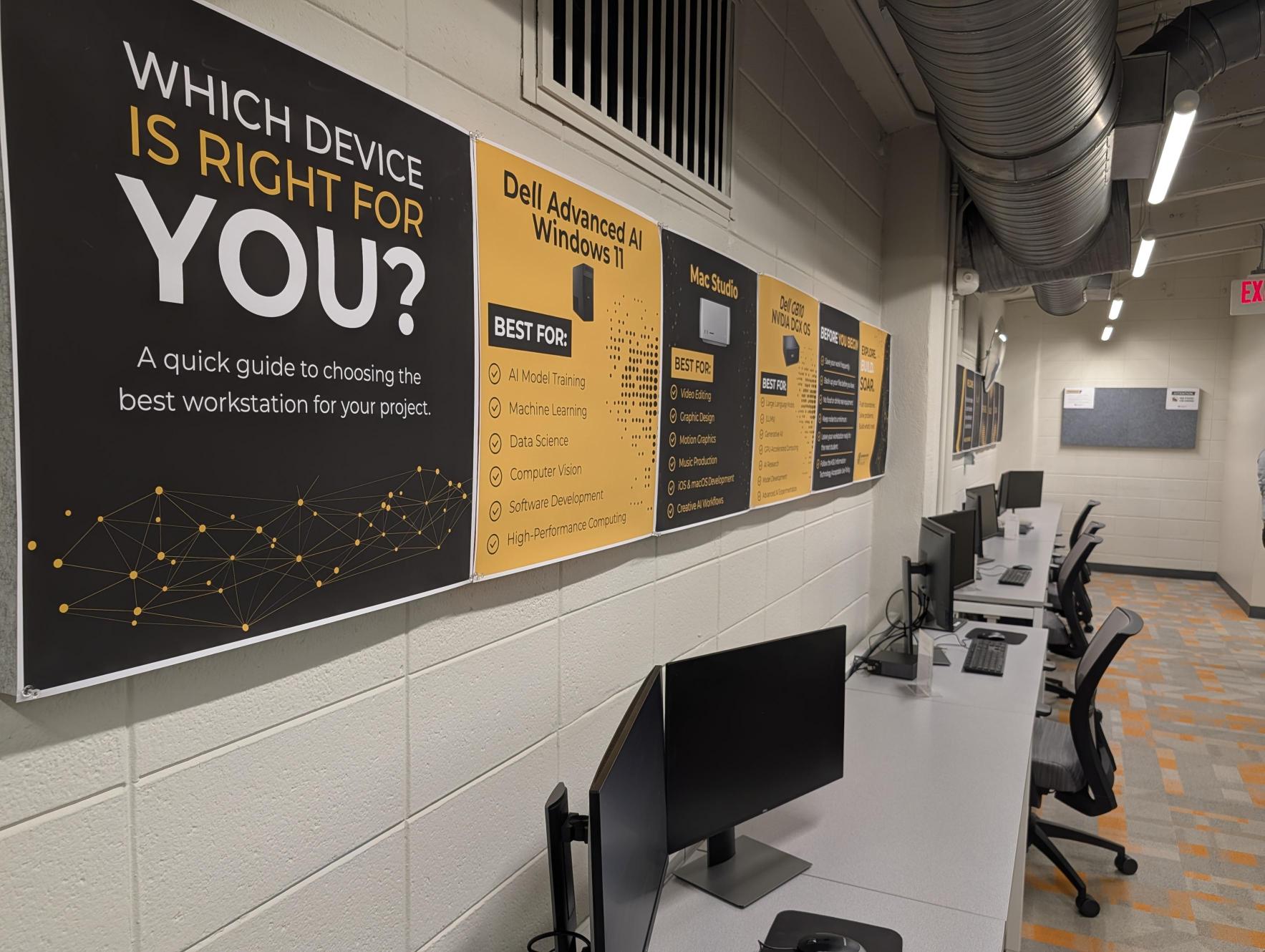
 

Tiles with information about devices line the KSU AI Lab.

Reservations

Reservations are required for all KSU AI Lab workstations and are managed through the Library's LibCal reservation system.

  • Dell Advanced AI Windows 11 Workstations may be reserved for 1 to 4 consecutive weekdays.
  • Mac Studio (M3 Ultra) workstations may be reserved for 1 to 4 consecutive weekdays.
  • Dell GB10 - NVIDIA DGX OS workstations may be reserved for 1 to 2 weeks.
  • KSU AI Lab workstations are not available for reservation or use on Fridays.
  • Reservations may not include weekends.
  • Reservation extensions may be requested and are approved based on workstation availability.
  • If you are unable to begin using your reservation on the first day, please contact us as soon as possible.
  • Walk-in users may check for same-day availability and reserve an available workstation on site.
  • Users must use the workstation assigned to their reservation.
Reserve a Station Now

Workstations

The KSU AI Lab currently offers three high-performance workstation options designed to support a variety of artificial intelligence (AI), machine learning (ML), research, engineering, and advanced computing workloads.

Designed for AI development, machine learning, engineering applications, data science, software development, and GPU-intensive computing.

Specifications:

  • Operating System: Windows 11
  • Intel Core Ultra 9 processor (24 cores, up to 5.7 GHz)
  • NVIDIA GeForce RTX 5090 with 32 GB GPU memory
  • 128 GB DDR5 RAM

Reservation Length: 1 to 4 consecutive weekdays.

Reservation Restrictions: Workstations are not available for reservation or use on Fridays and weekends. Reservations may not extend into the following week.

Designed for extended AI development, large-scale model testing, research, and other computationally intensive projects.

Specifications:

  • Operating System: NVIDIA DGX OS 7
  • Dell Pro Max with GB10
  • NVIDIA GB10 Grace CPU
  • NVIDIA GB10 Blackwell GPU
  • 128 GB unified LPDDR5x memory

Reservation Length: 1 to 2 weeks

Reservation Restrictions: Workstations are not available for reservation or use on Fridays and weekends. Reservations may span multiple weeks.

Important Information:

The Dell GB10 Spark with NVIDIA DGX OS is intended for users with advanced technical skills who are comfortable configuring and managing their own computing environment.

Users are expected to install and manage the software, libraries, frameworks, and dependencies needed for their work using the temporary local administrator access provided during their reservation.

Technical support is limited to workstation functionality and access. The KSU AI Lab does not provide support for AI/ML frameworks, coding, model development, software configuration, research workflows, or other project-specific issues.

Users are responsible for maintaining backups of their work. Workstations are reimaged between reservations, and all locally stored files, software, and configurations will be removed at the end of the reservation.

Additional workstation types may become available as the lab expands.

Designed for AI development on Apple silicon, machine learning, software development, data science, content creation, and other high-performance macOS workflows.

Specifications:

  • Operating System: macOS
  • Apple M3 Ultra with 32-core CPU
  • 80-core GPU
  • 96 GB RAM

Reservation Length: 1 to 4 consecutive weekdays.

Reservation Restrictions: Workstations are not available for reservation or use on Fridays and weekends. Reservations may not extend into the following week.

Software

The following software is available in the AI Lab.

  • Microsoft 365 Apps
  • OneDrive
  • Visual Studio Code
  • PyCharm
  • Git (and possibly GitHub Desktop)
  • Python 3
  • JupyterLab
  • R / RStudio
  • NotebookLM
  • NVIDIA drivers (PC)
  • NVIDIA Nsight and other GPU monitoring tools (PC)
  • CUDA Toolkit, cuDNN, and related GPU development components (PC)
  • Xcode Command Line Tools (Macs)

Local Administrator Access

To support advanced coursework and research, users are provided temporary local administrator access during their reservation. 

Guidelines are as follows:

  • Local administrator access is available only for the duration of your reservation.
  • Users are responsible for installing and configuring any legally licensed software needed during their reservation.
  • All software installed or accessed through the KSU AI Lab must comply with University System of Georgia (USG) and State of Georgia technology standards.
  • Software associated with prohibited vendors or services may not be installed or used. For additional information, review the State of Georgia's Concerned Goods and Prohibited Vendors and Services guidance.
  • Any software installed during your reservation will be removed at the conclusion of your reservation.

About Your Reservation

  • Save Your Work Frequently: Users are responsible for saving their work throughout their reservation. Data stored locally on a workstation should not be considered permanent. Cloud storage or external storage devices are strongly recommended.
  • Workstations Are Reset/Restored: Workstations are restored between reservations to provide a consistent experience for every user. Any files, software installations, or settings saved locally may be removed at the end of your reservation.
  • Restricted Information: The KSU AI Lab is not approved for accessing, processing, transmitting, or storing controlled, confidential, export-controlled, or other restricted information. Users are responsible for ensuring that any data they use in the lab complies with Kennesaw State University policies and does not contain any of the above data types.
  • Check-In: A valid KSU Talon Card is required when checking in for your reservation.
  • Assigned Workstation: Please use only the workstation assigned to your reservation. If you experience technical issues, contact the Service Desk before moving to another workstation.


  • Food and Drink: Food and uncovered beverages are not permitted near the workstations. Please help protect university equipment by following posted lab guidelines.
  • Respect the Space: Help maintain a productive environment by keeping noise to a minimum, treating equipment with care, and leaving your workstation clean for the next user.
  • Acceptable Use: Use of the KSU AI Lab is subject to the KSU Acceptable Use Policy and all applicable university policies. Failure to comply with university policies or KSU AI Lab guidelines may result in suspension or revocation of lab privileges and/or referral to Student Conduct and Academic Integrity.
  • Equipment: KSU AI Lab equipment and accessories must remain in the lab and may not be removed.
  • Remote Access: Remote access to KSU AI Lab workstations is not permitted. Workstations must be used in person during your reservation.
  • Security Cameras: Security cameras are in use within the KSU AI Lab.

Frequently Asked Questions

Who can use the AI Lab?

The AI Lab is currently available to Kennesaw State University students only.

How do I reserve a workstation?

Reservations are made through the Library's LibCal reservation system.

Can I extend my reservation?

Yes. Reservation extensions may be requested and are granted based on workstation availability.

What happens if I'm late for my reservation?

If you are unable to begin your reservation on the first day, please contact us as soon as possible.

Can I walk in without a reservation?

Yes. Walk-in users are welcome to check for same-day availability and reserve an available workstation if one is available.

Can I choose any workstation?

No. Please use only the workstation assigned to your reservation.

What happens to my files after my reservation?

Workstations are reimaged between reservations. Any files, software, or settings saved locally will be removed. Always save your work to cloud or external storage before your reservation ends.

Can I install software?

Yes. Temporary local administrator access is provided during your reservation. All software installed or accessed through the AI Lab must comply with University System of Georgia (USG) and State of Georgia technology standards. Workstations are reimaged after each reservation, and any installed software will be removed.

Will someone help me install software or troubleshoot my AI project?

Support is limited to basic workstation access and functionality, such as logging in, accessing your reserved workstation, and resolving hardware or connectivity issues.

The KSU AI Lab does not provide support for software installation, software configuration, programming, AI or machine learning frameworks, model development, research workflows, or project-specific technical issues. Users are expected to have the technical knowledge needed to install and manage software, configure their development environment, and troubleshoot their own applications.

For users of the Dell GB10 - NVIDIA DGX OS, advanced technical skills are strongly recommended due to the specialized nature of the platform.

Can I use confidential or restricted data?

No. The KSU AI Lab is not approved for accessing, processing, transmitting, or storing controlled, confidential, export-controlled, or other restricted information.