KENNESAW, Ga. | Jun 10, 2026
Faculty and staff who have been using Panorama will find a slightly different-looking interface the next time they open an item report.
Faculty and staff who have been using Panorama, whether through the D2L integration or in the DocHub, will find a slightly different-looking interface the next time they open an item report. New enhancements that affect KSU users include a streamlined workflow process, more intuitive placement of options (such as the version history), and enhanced remediation advisement.
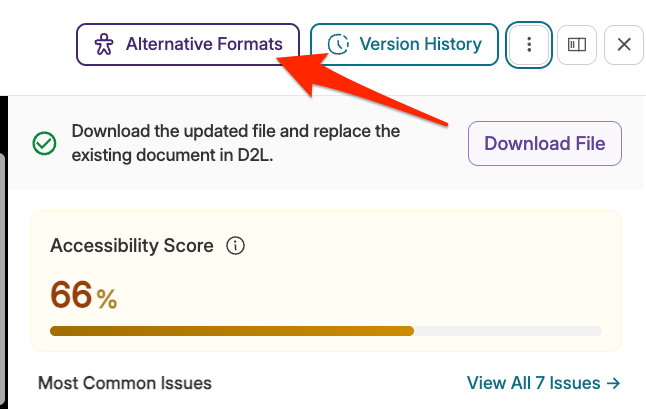
The first thing they will likely notice is that, after clicking the Panorama icon in D2L or View on a document in DocHub, they are taken directly to the item report, rather than the Alternative Formats menu. They still have access to the Alternative Formats menu using a button at the top of the item report.
Another key change is At-a-Glance Prioritized Issues, described by YuJa in their report release: “When opening the Accessibility Report, the Issues panel will automatically show the most common issues in the document so that users can instantly understand which accessibility issues are most pressing.”
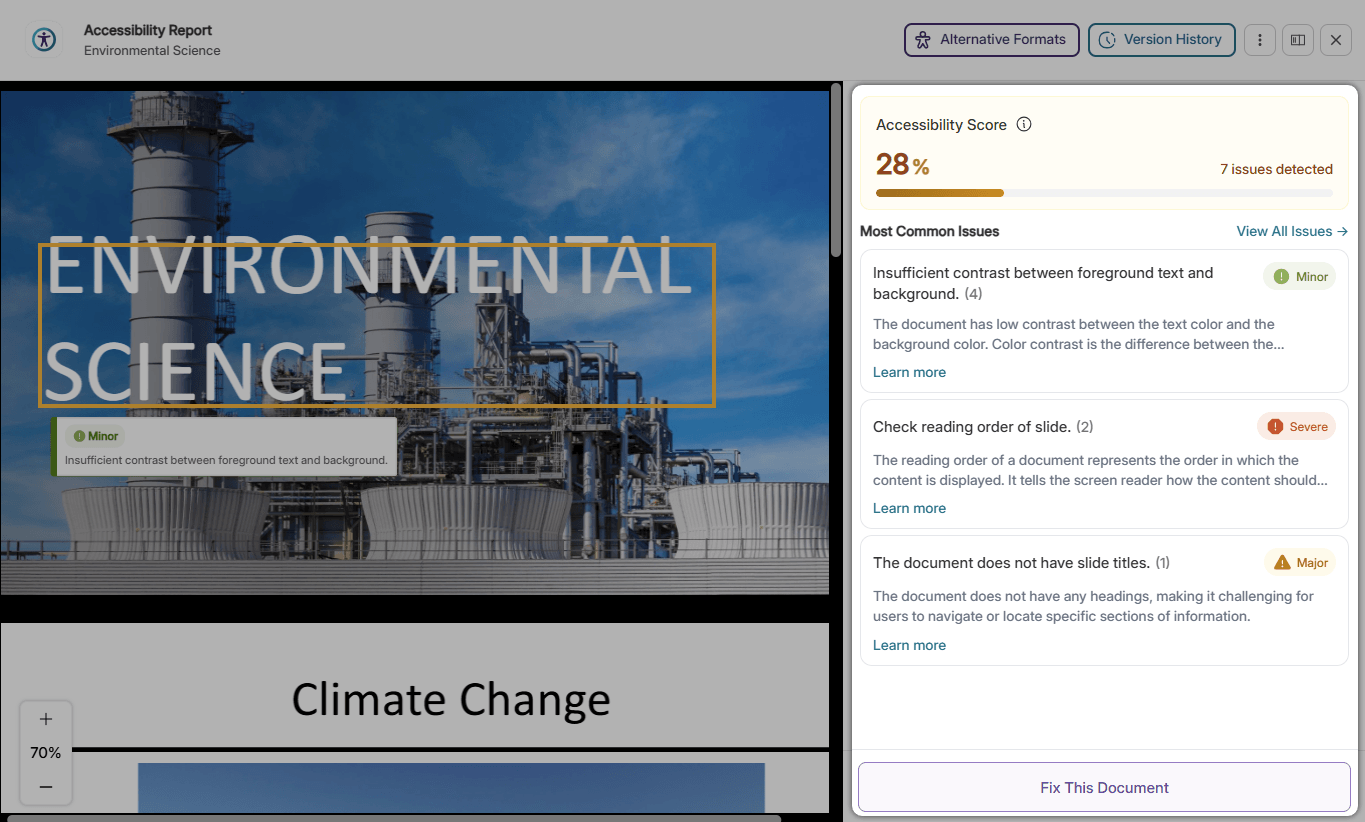
Meanwhile, Comprehensive Guided Remediation presents guidance more intuitively and speeds up the remediation workflow.
As always, full 24/7 support is available to all users from YuJa! Please check back to The AWA Post for continuing updates and features and contact DLI through the DLI Service Portal for assistance from an Instructional Designer in your course!
Also, for Panorama documentation and support, please review our Panorama page, DocHub page, and PDF Accessibility page.