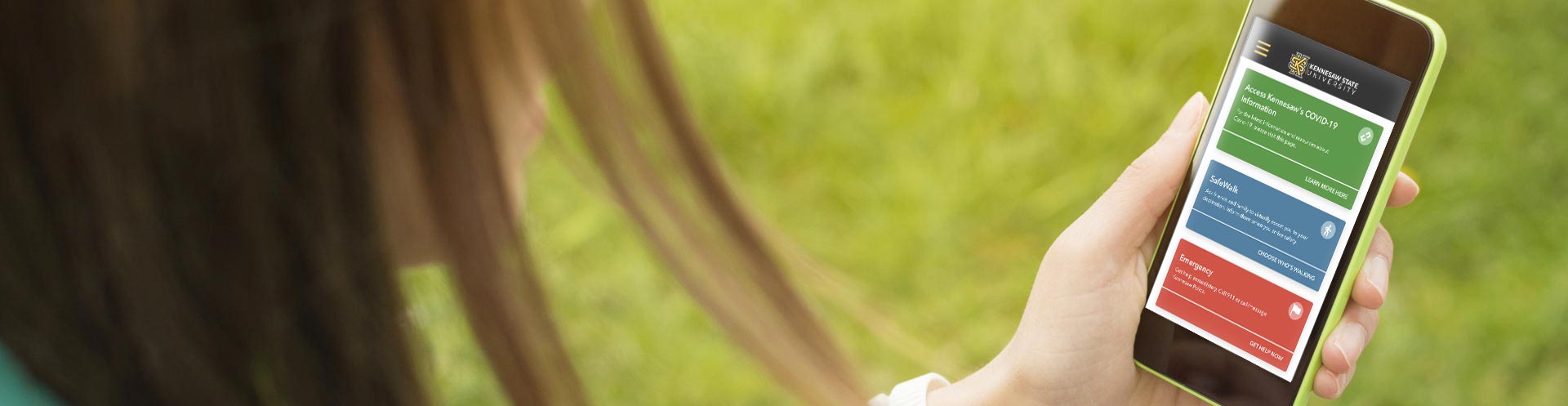
Download the LiveSafe app today!

LiveSafe is a free mobile safety app provided by KSU to all students, faculty, and staff. This voluntary app is designed to enhance personal well-being and the overall safety of our campus community. Available on both Android and iOS devices, LiveSafe is user-friendly and offers powerful features that streamline communication with University Police.
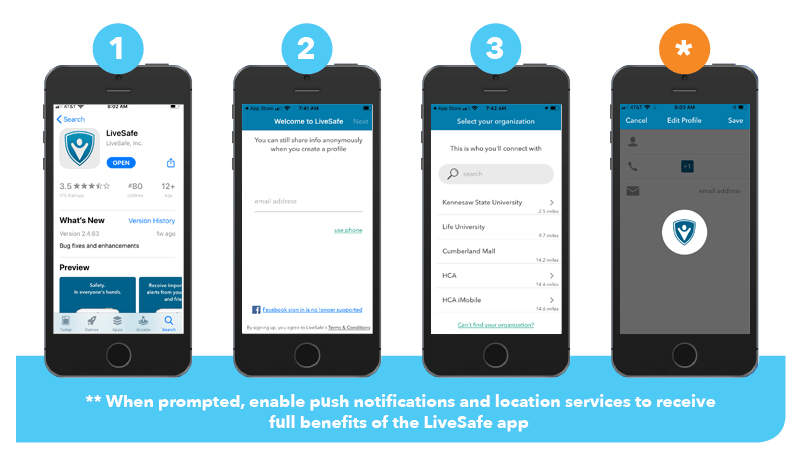


Steps to Download LiveSafe

A visual guide on how to set up the LiveSafe app. The steps include opening the app, creating a profile, selecting your organization, and enabling push notifications and location services.


  • Search for and download “LiveSafe” for free from iTunes or Google Play app stores. Open LiveSafe and enter in your email address or tap “Connect Using Facebook”.
  • You will be sent a verification email. Go to your email inbox to verify your LiveSafe account. Then tap “Open” on the next screen of the app. Create a password and fill in your name. Tap Next.
  • Search for "Kennesaw State University" to select it as your organization. You will see the KSU logo at the top of the home screen of the app once you are connected.
  • Complete your profile by tapping the left menu icon. Tap “Settings” then “Profile”. Enter in your mobile phone number so that you can better connect with KSU Police in an emergency.