Accessing the Official KSU Branded PowerPoint Templates
KSU's Office of Strategic Communications and Marketing has published a series of branded
PowerPoint templates that are accessible and available for campus use. To download
and begin using these templates, follow the instructions below.
To ensure that your presentations remain accessible, it is best to refrain from modifying
the slide layouts.
Log Into the KSU Digital Media Library
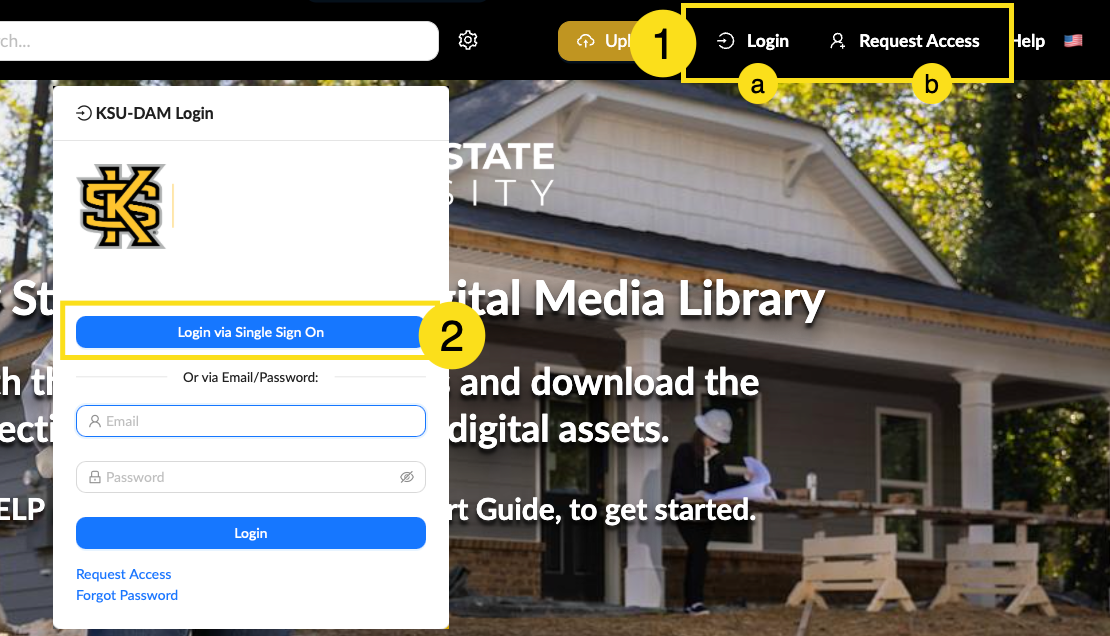
- Open your preferred browser and navigate to the KSU Digital Media Library.
- If you already have access to the library, click the Login button.
- If you have never accessed the library before, click the Request Access buttton in the top-right corner of the screen and follow the prompts to gain access..
- You will be redirected to the KSU-DAM Login page. Click the Login via Single Sign On button and use your KSU NetID and NetID password to log in.
|
Navigate to the Templates
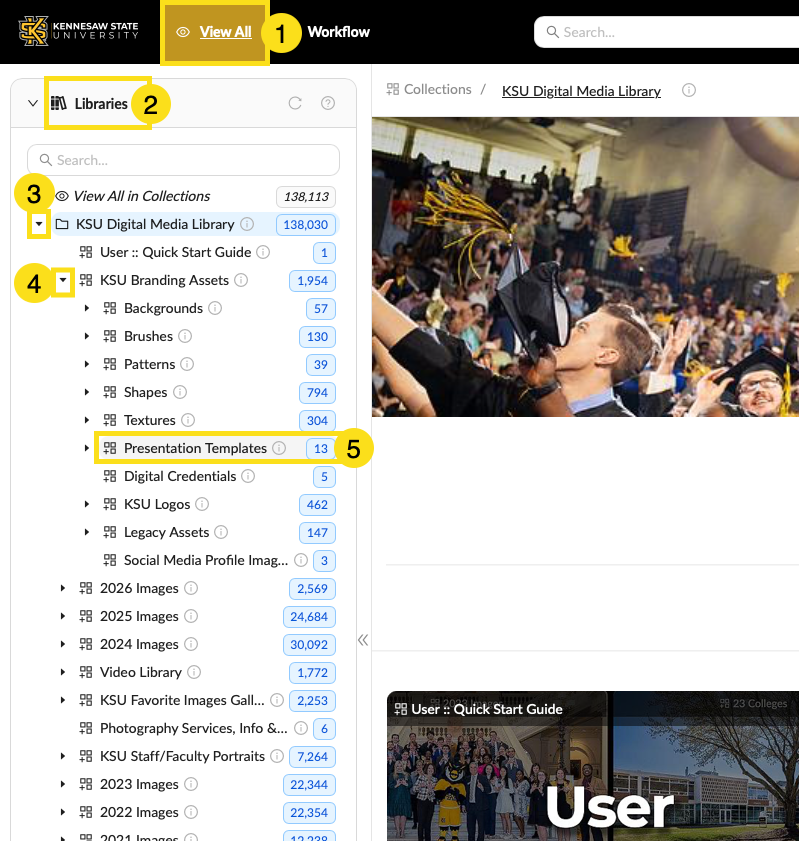
- Click the View All button in the top left corner.
- Click the Libraries item in the navigation on the left to open the menu.
- Click the arrow icon to the left of KSU Digital Media Library to open the folder.
- From the corresponding dropdown menu, click the arrow icon to the left of KSU Branding Assets to open the folder.
- From the corresponding dropdown menu, click the Presentation Templates option.
|
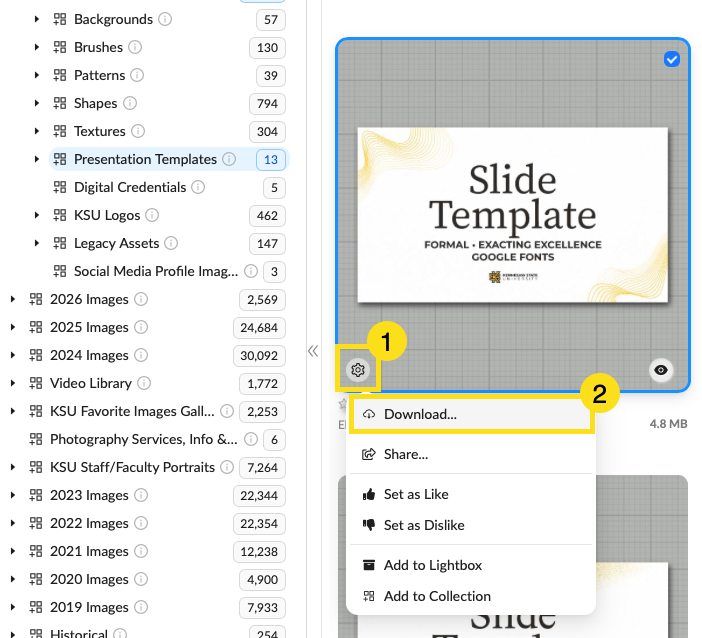
- Choose from the templates on the page and click the gear icon in the bottom left of the template you wish to download.
- From the corresponding dropdown menu, click the Download option.
- The file should now appear in your downloads folder.
|